Knowledge Base
Categories: PHP
Scripting: How to Update Your PHP Version
How to Update or Change Your PHP Version
- Log in to your Control Panel.
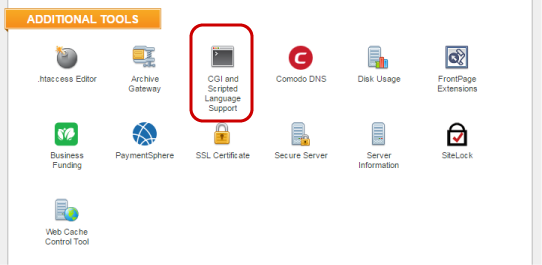
- Select CGI and Scripted Language Support.
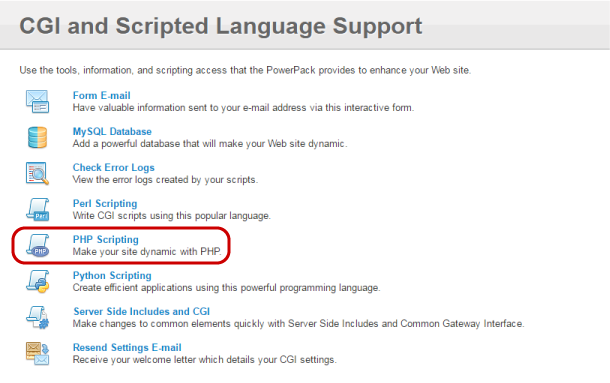
- Select PHP Scripting.
- In the Select Default PHP Version section, select the version you want from the drop-down menu.
- Click Set.
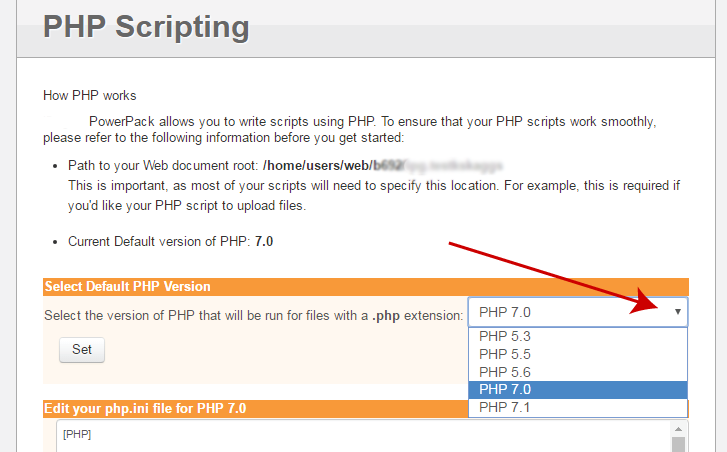
The default PHP version running on our servers is PHP 5.5. Newer versions may be installed as they become available. You can also toggle between versions 5.3, 5.5, 5.6, 7.0 and 7.1.
Did you find this article helpful?