Knowledge Base
How to Update Nameservers For Multiple Domains
How To Update Nameservers For Multiple Domains
- Log in to your Control Panel.
- Go to Domain Central.
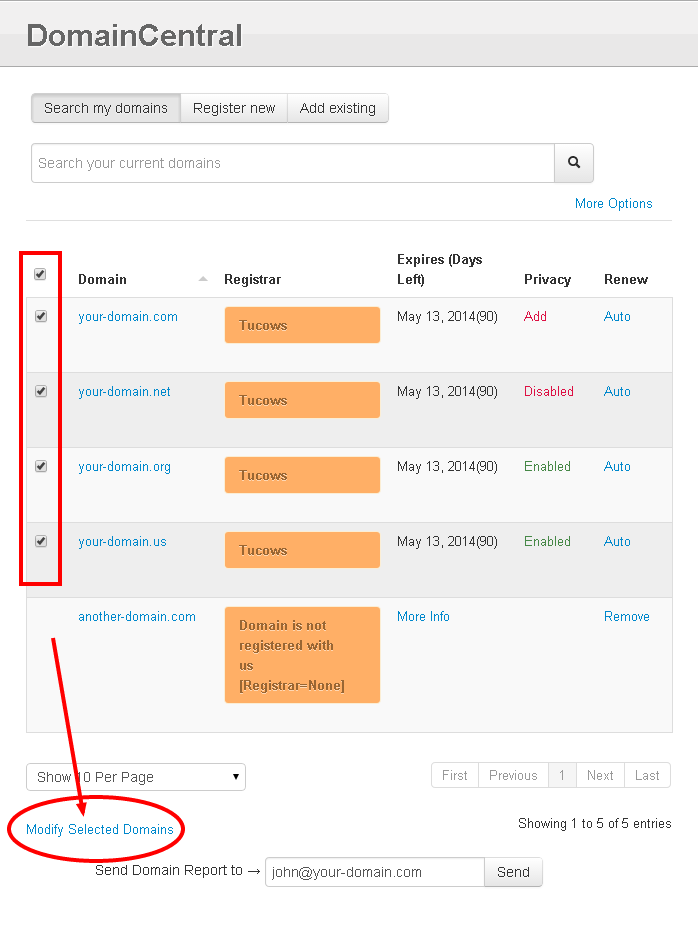
- Check the box next to each domain you want to modify.
- Click Modify Selected Domains
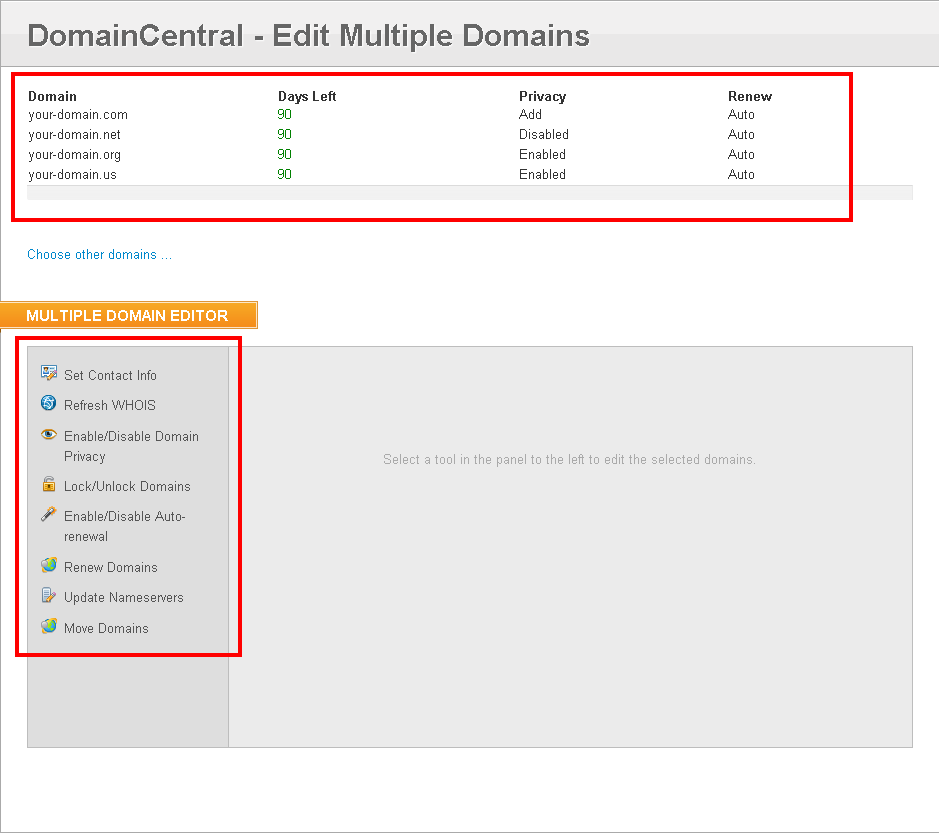
- Select Update Nameservers.
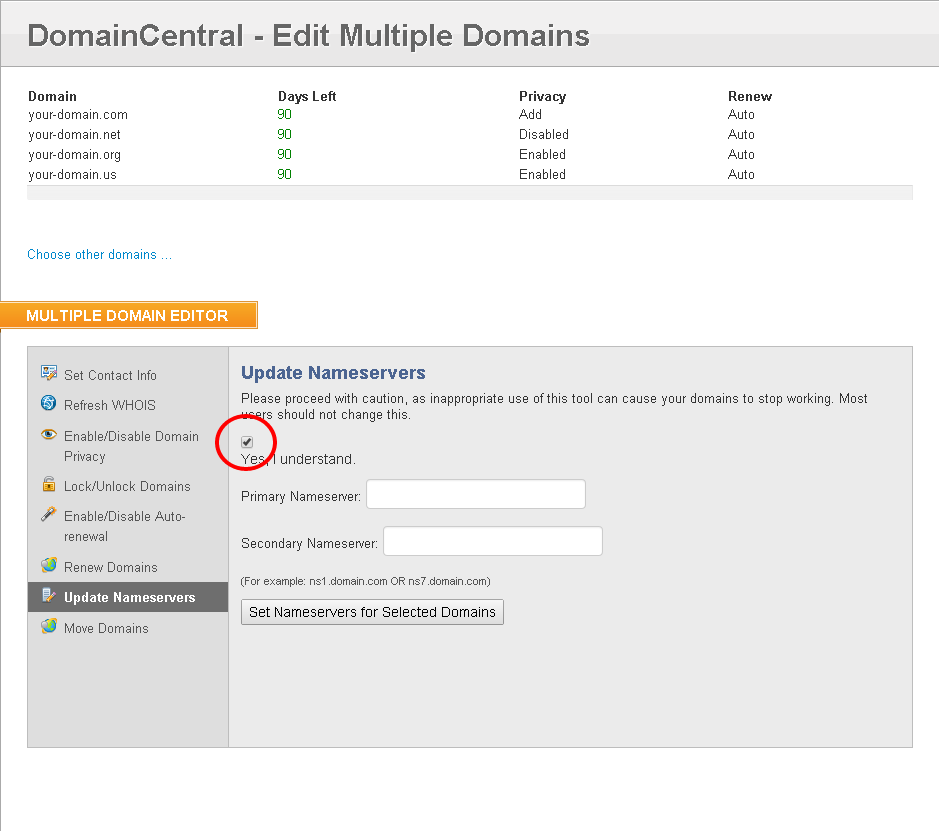
- Check Yes, I Understand after reading the prompt.
- Type in a Primary Nameserver.
- Type in a Secondary Nameserver.
- Click Set Nameservers for Selected Domains.
Note that updating nameservers may take 24 to 48 hours to take effect.
Did you find this article helpful?