Knowledge Base
How to Change or Update NS Records - DNS Management
- Log in to your Control Panel.
- Go to Domain Central.
- Click on the domain you want to edit.
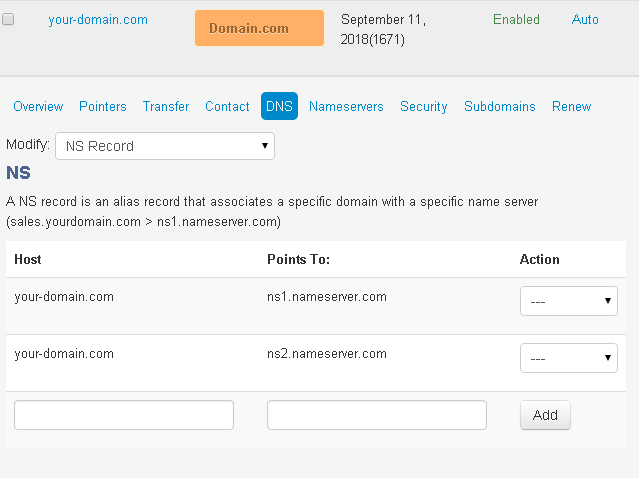
- Click DNS.
- From Modify, select NS Records.
- Enter the following:
- Host - the domain you want to point
- Points to: the nameserver that you want associated with this domain
- Click Add. A confirmation message will be displayed.
- To modify a setting, select Edit or Remove from the Action dropdown menu next to the NS Record.
Did you find this article helpful?