Knowledge Base
Account: Invoices And Receipts
How to Get A Specific Invoice Or Receipt
- Log in to your Control Panel.
- Click the down arrow next to Logged in as
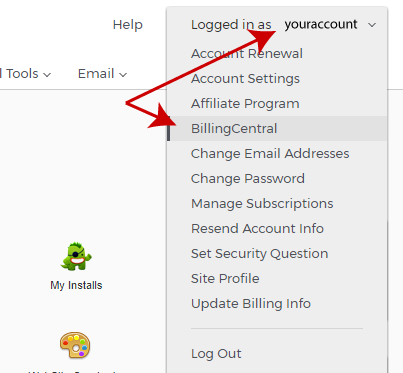
- Select Billing Central from the drop down list.
- Charges From The Last 30 Days appear below, you may need to scroll down the page.
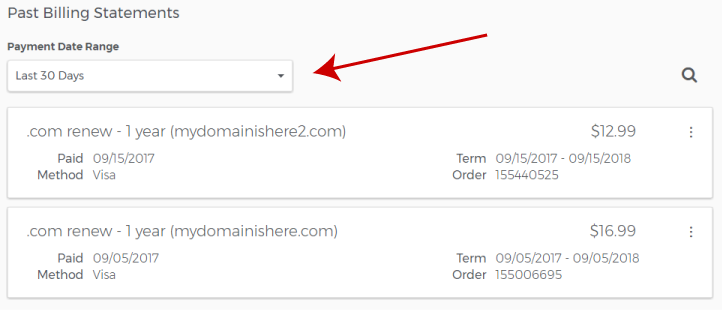
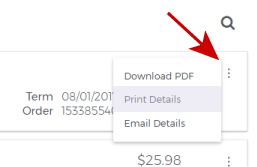
- Locate the transaction(s) you want to acquire and click on the three dots at right.
- Download as a PDF file.
- Invoice/Receipt as a printable document
- Have it sent in an email to the Billing contact in your account.
- If you do not see the transaction you are looking for, Click on All Statements
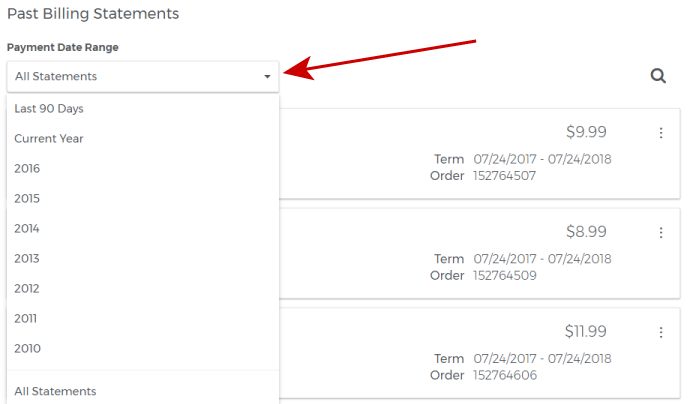
- Filter your results by time period.
Export a List Of Multiple Invoices And/Or Receipts
- Log in to your Control Panel.
- Click the down arrow next to Logged in as
- Select Billing Central from the drop down list.
- Click on All Statements as in the previous example.
- Filter Your Results
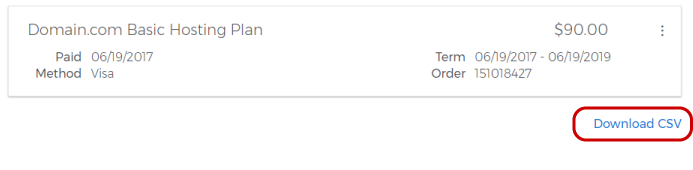
- Export your list of results by clicking on the Download CSV option below.
Did you find this article helpful?